A bigger view
Rotate into landscape, enter fullscreen, and choose Fit to see the whole frame or Fill to use more of your screen.
JATAYU MEDIA PLAYER FOR ANDROID
Watch, listen and learn in one place. A personal media player with sound you can shape, moments you can save, and room for your own collection.
Android 9+ · ARM64 · Smartphones & tablets
01 / WATCH
A quick clip, a favourite video or a longer watch. Move between portrait, landscape and picture-in-picture with the controls close at hand.
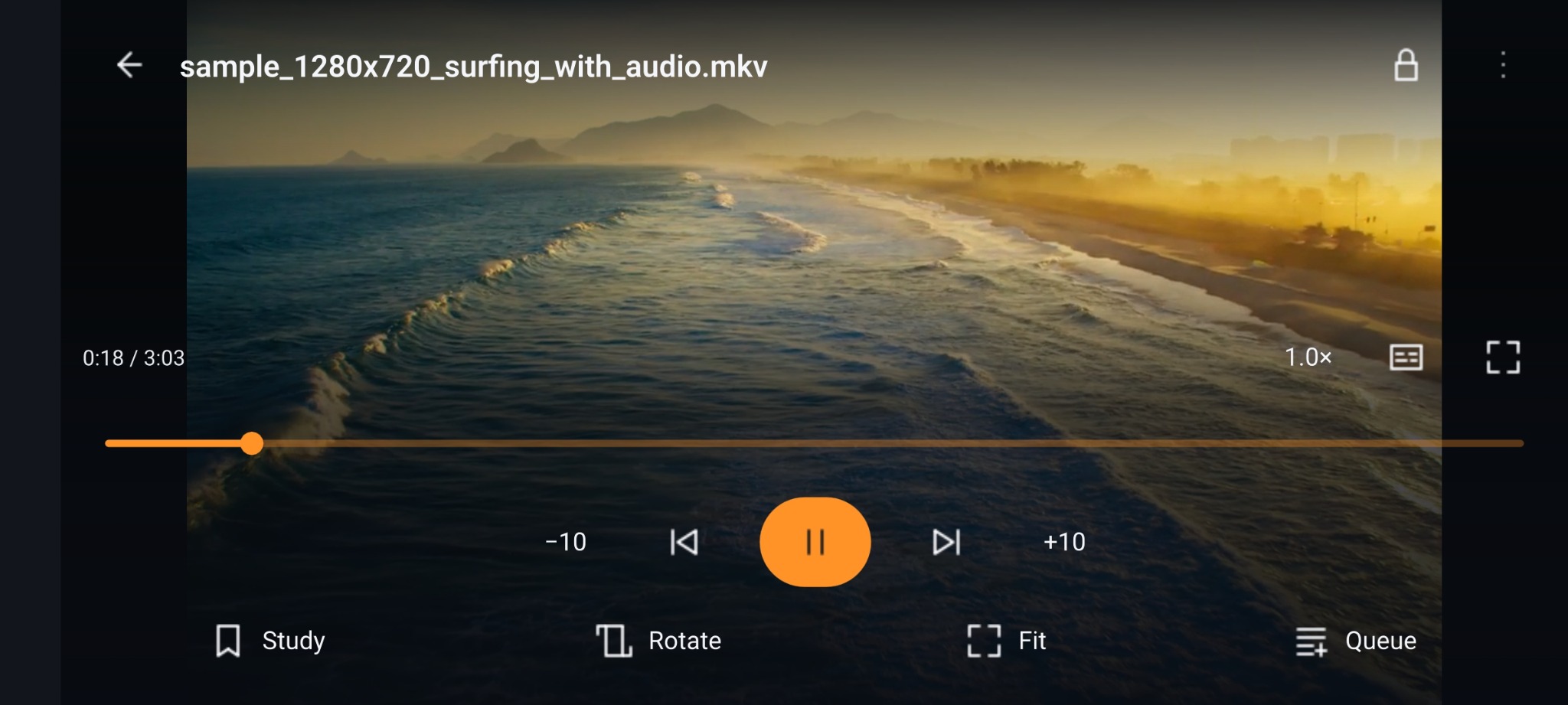
Rotate into landscape, enter fullscreen, and choose Fit to see the whole frame or Fill to use more of your screen.
Let your video stay in a small picture-in-picture window while you move to another app.
Choose subtitles and playback speed, seek through a scene, use gesture controls, or lock the controls against accidental taps.
02 / LISTEN
Jatayu Sound Studio puts the character of your music in your hands. Start with a preset, tune the details and save a sound that feels right for you.
Eight presets give you different tonal starting points. Try Bollywood, Ghazal or Classical, then adjust to taste.
Adjust Bass, Vocals and Treble, vary preset strength, or open the 10-band equalizer for finer control.
Compare Original and Enhanced sound with optional level matching. Save named personal profiles for the sound you enjoy.
 YOUR MUSIC, IN MOTION
MORE THAN A PLAY BUTTON
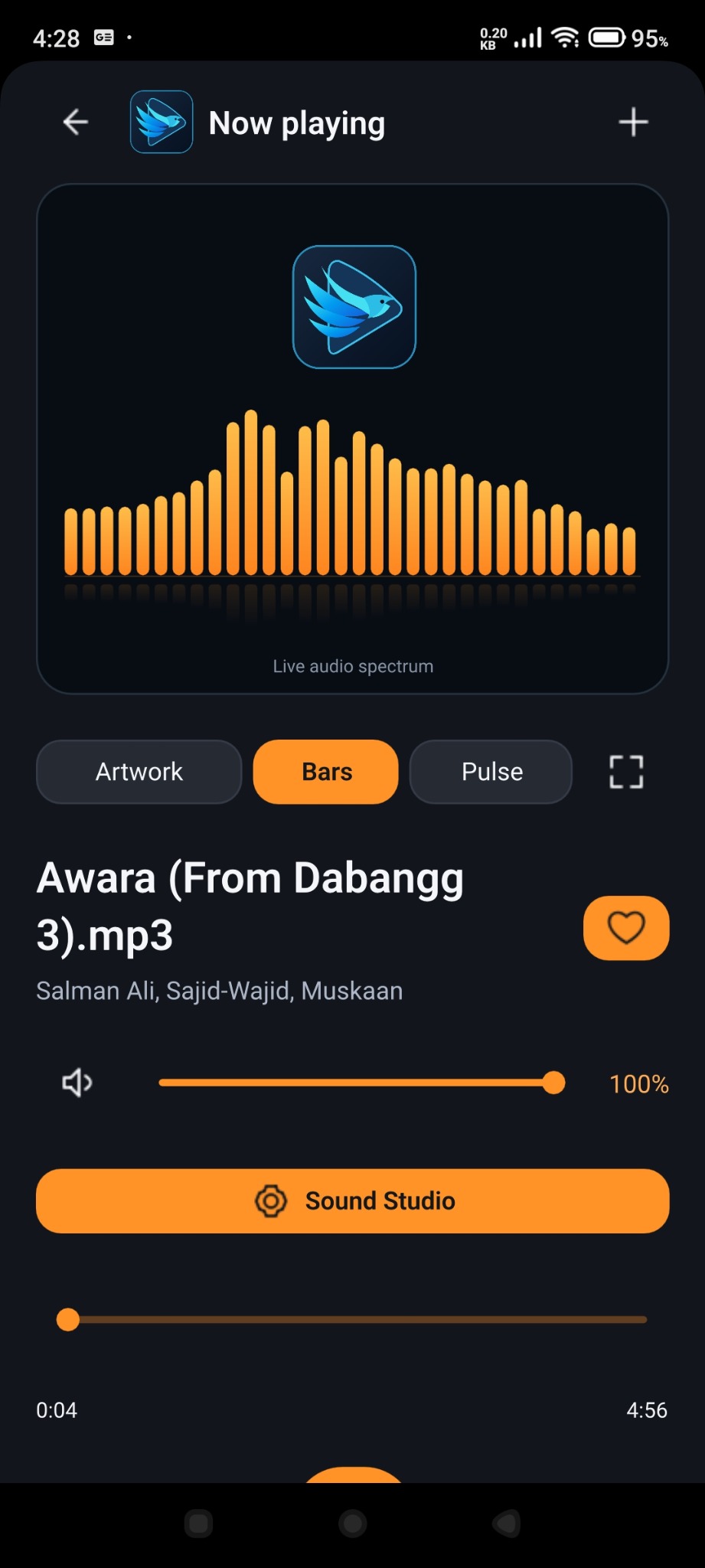
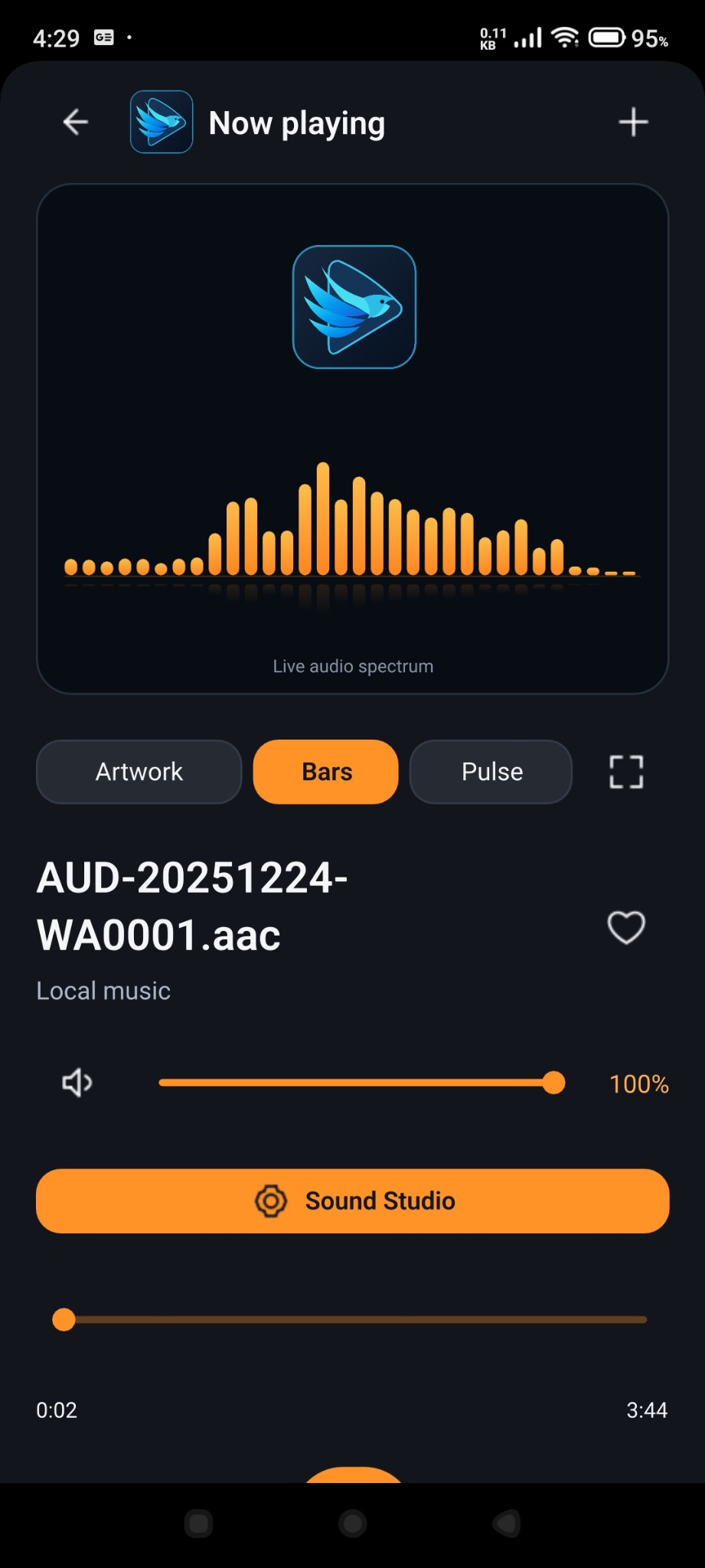
Switch between artwork, spectrum bars and pulse views. The visualiser responds to decoded audio, bringing another dimension to your listening screen.
Blend the end of one song into the next at normal playback speed. Leave crossfade off when you prefer a separate start for every track.
Adjust volume in the app, manage the queue, mark a favourite and keep music playing in the background with Android media controls.
03 / LEARN
Turn a lecture, language lesson or musical phrase into something you can revisit. Study Mode keeps your notes and practice tools alongside playback.
Add a note or bookmark at the current timestamp. Tap it later to return to that point, edit your note, or export timestamped notes.
Set A and B around a passage, adjust its boundaries, and repeat continuously or for a chosen number of times.
Adjust playback speed and study skip intervals. Revisit a line, a lesson or a musical phrase without searching from the start.
YOUR COLLECTION
Keep videos and music together without losing your place. A local library for the things you choose to watch, hear and learn.
Resume playback and find recently played media, so getting back to a song or video takes fewer steps.
Build playlists, mark favourites and browse videos, music, folders and collections in one place.
Scan your device library or select files with Android’s file picker. Manage the listening queue and choose what plays next.
INSIDE THE PLAYER
Original screenshots supplied by the creator. Select an image to see the full-size screen.
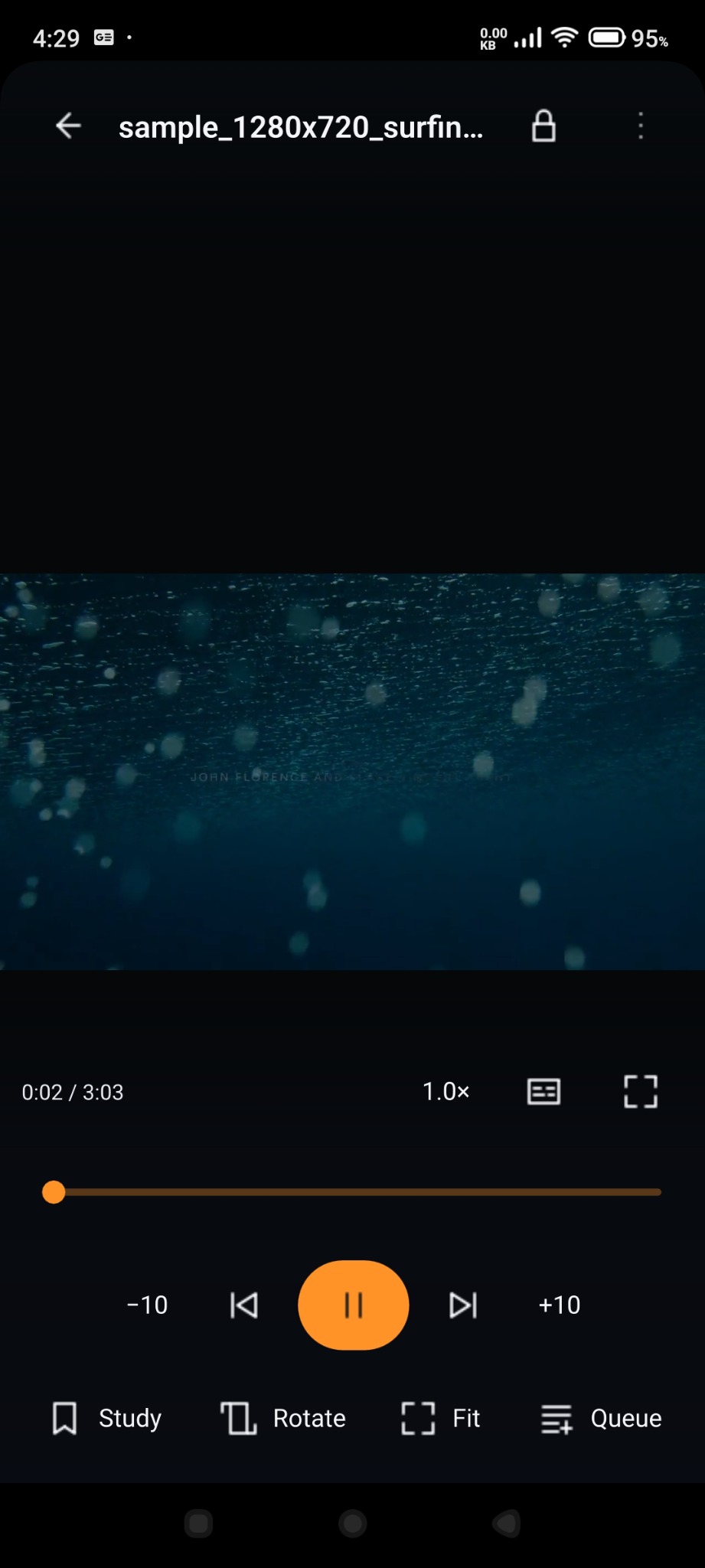
Media titles and video frames show files on a test device. Music and videos are not included with the app.
YOUR MEDIA. YOUR SPACE.
Local playback without an account. Your library, playlists, progress and study notes stay on your device. The app has no advertising or analytics integration.
ENGLISH + हिन्दी
Choose English or हिन्दी in Settings. The same player, the same tools, with an interface that feels comfortable to you.
यह पेज हिन्दी में पढ़ेंTAKE YOUR MEDIA WITH YOU
Made for your everyday listening, watching and learning.
Android 1.0.2 · ARM64 · APK download
Test build users: export your notes before uninstalling. The production signature differs, so an in-place update from test builds is not supported. Uninstalling erases local app data.
A FEW THINGS TO KNOW
More about compatibility, sound tools and the way your media stays local.
Jatayu Media Player is being developed for ARM64 Android smartphones and tablets running Android 9 or later. Android TV is not a target for this edition.
Common local formats include MP3, AAC, FLAC, MP4 and MKV. Playback depends on the codecs inside the file and support on your device; a filename extension alone does not guarantee compatibility.
Sound Studio is for music at normal 1.0× speed. Presets are starting points that you can personalise. Vocals adjusts voice frequencies; it does not isolate or remove a singer. Availability also depends on the audio output.
Yes. Music supports background playback and Android media controls. Video has picture-in-picture for watching while you use another app.
No account is needed for local playback. The app has no advertising or analytics integration and does not request Internet permission. Website and support links open in your external browser.
Open Settings and choose हिन्दी under Interface language. You can switch back to English from the same setting.
The original application is licensed under GPL-3.0-or-later. Qt, FFmpeg and other dependencies retain their own terms. The Android release includes application source, dependency sources and full licence information alongside the download.