
A desktop you can adjust
KDE Plasma provides the desktop, panel and settings. Use Dolphin to organise files, Firefox ESR to browse and LibreOffice to work with documents, spreadsheets and presentations.
Get started after installationUdaan Aapki. Shakti Bharat Ki.
JatayuOS brings a Debian foundation, the KDE Plasma desktop and a collection of Jatayu applications together in one Linux distribution. Created in India, it is designed for everyday computing and available free of charge.
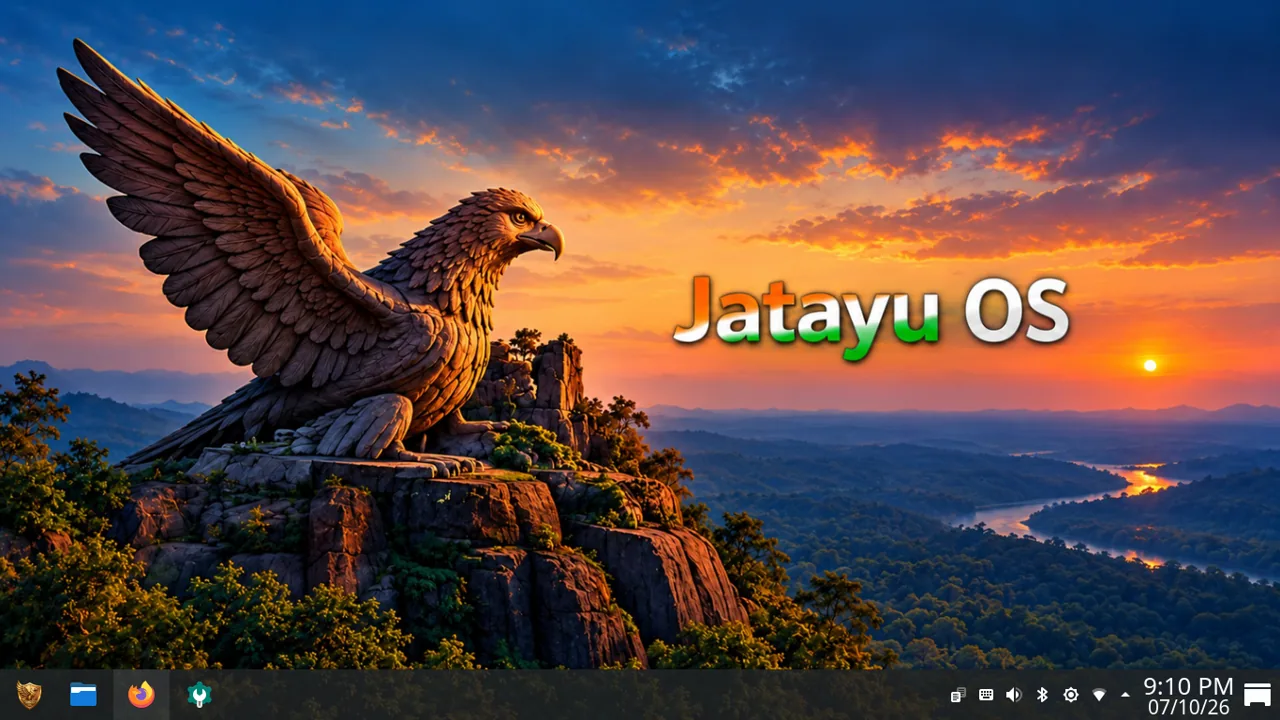
Moving to a different operating system should begin with useful tasks: opening your files, browsing the web, writing a document and finding the settings you need. JatayuOS aims to make that first experience approachable through a familiar panel, an application launcher, clear documentation and Aarambh, its welcome application.
JatayuOS is for home users, learners and developers who want a desktop for everyday work. If you have an older computer, try the live session to see how it handles the apps you need. The minimum memory requirement is 4 GB; try the live desktop before installing to check your own computer.
Check system requirementsKDE Plasma provides the desktop, panel and settings. Use Dolphin to organise files, Firefox ESR to browse and LibreOffice to work with documents, spreadsheets and presentations.
Get started after installationAarambh brings help and shortcuts together. Creative Studio offers image and PDF workflows, while Wallpaper Changer, Kavach, Sarkar Setu and Utsav add tools for personalisation, awareness and discovery.
Explore the app collectionStart the live desktop from a USB and check your hardware before changing your disk. Installation from the ISO does not require internet; downloading updates and additional software does.
Follow the illustrated guideThe name draws inspiration from Jatayu in the Ramayana, associated with courage, service and protection. It connects the project’s identity with Indian culture and expresses the spirit behind its name.
The first version is JatayuOS 1.0, Udaan. Udaan means flight: a fitting name for the project’s first release and an invitation to explore a new desktop. The tagline, “Udaan Aapki. Shakti Bharat Ki.”, brings that identity into the experience.
Made in India describes where the JatayuOS project is created and maintained. Its foundation comes from the worldwide Linux and open-source community, including Debian, KDE and the many projects whose software it includes.
JatayuOS is an independent project. It is not affiliated with, funded by or endorsed by the Government of India. Upstream names and trademarks remain with their respective owners.
Read credits and licence informationThese software versions were confirmed in the maintainer’s tested installation. Installed versions can change with updates.
| Base distribution | Debian 13 (Trixie) |
|---|---|
| Desktop | KDE Plasma 6.3.6 |
| KDE Frameworks | 6.13.0 |
| Qt | 6.8.2 |
| Kernel in the tested installation | 6.12.111+deb13-amd64 |
| Graphics session in the tested installation | Wayland |
| Architecture | amd64 · 64-bit Intel / AMD |
| Software management | APT and Flatpak |
| Installer | Calamares |
APT handles Debian packages and system updates. Flatpak offers another route to desktop applications through configured remotes. Package availability and compatibility depend on the application and configuration.
Anup Yadav maintains the JatayuOS project and publishes its release information, documentation and website updates. The project’s support route is available for questions, corrections and feedback from people trying the system.
When reporting a problem, include the JatayuOS version, hardware model, steps taken and exact error. Remove personal information from screenshots and logs. As an independent project, response times can vary.
Contact the maintainer · JatayuOS on GitHub
The development repository is currently private and is not accessible to public visitors. Source availability and release notices are described on the Credits & Licences page.
Check the release status, explore the applications or follow the guide before installing.