
Jatayu Apps
Tools for your files, your desktop and everyday discovery. See what each app offers and choose a first task.
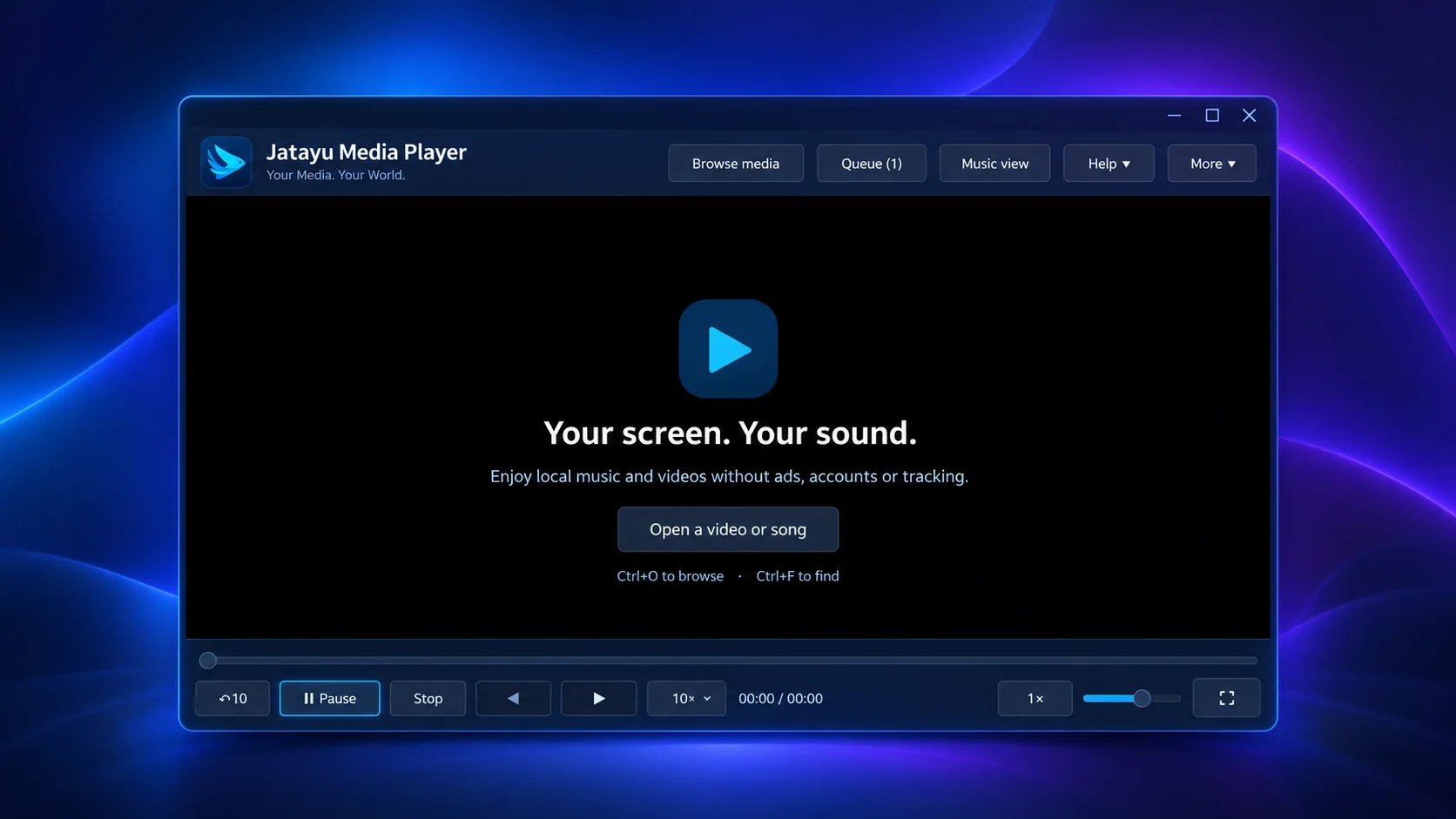
Jatayu Media Player
Your Media. Your World. A privacy-focused music and video player created by Anup Yadav. Play your local files, manage playlists and subtitles, and enjoy playback without advertising, built-in telemetry or mandatory accounts.
This is a separate application and is not bundled with the JatayuOS ISO. Version 1.0.0 is now available for Debian-compatible amd64 systems and as a Flatpak. Download the verified release on GitHub.
Explore Jatayu Media Player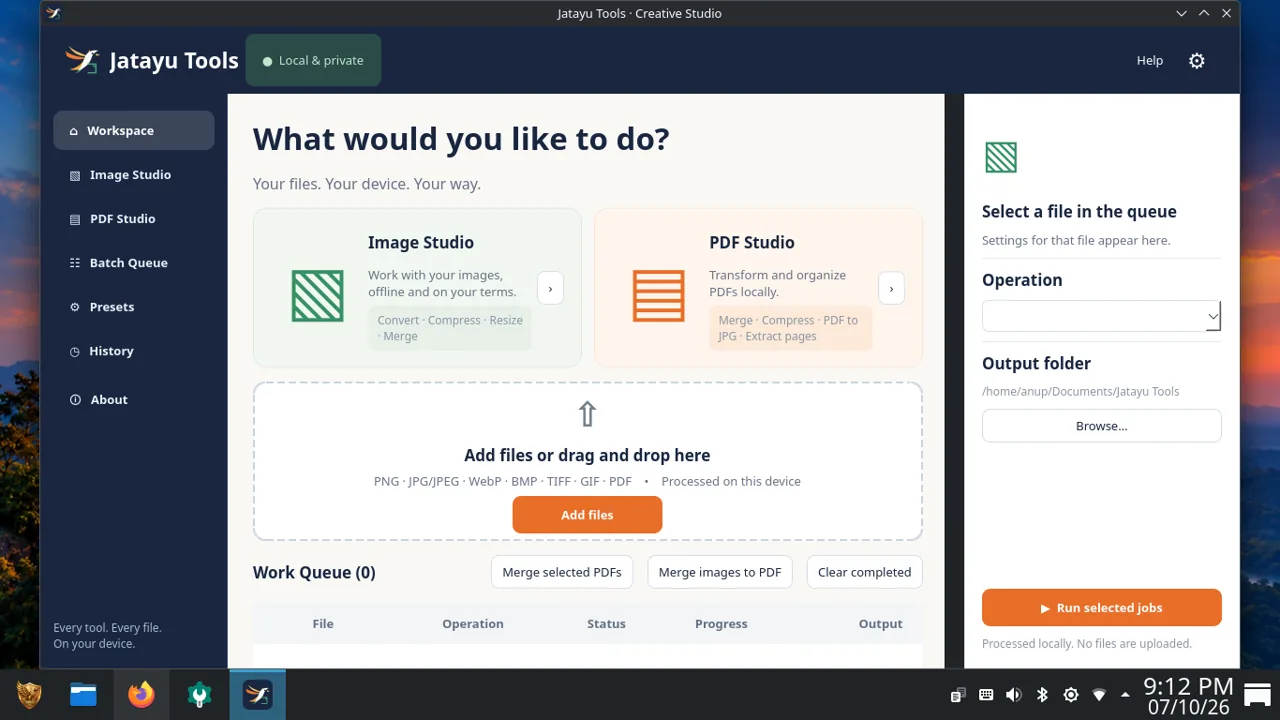
Jatayu Tools Creative Studio
Work with images and PDFs from one workspace. Creative Studio separates Image Studio and PDF Studio, with a file queue, operation settings and an output folder so you can follow a task from input to result.
- Image controls for conversion, compression, resizing and merging.
- PDF controls for merging, compression, PDF-to-JPG conversion and page extraction.
- Batch Queue, Presets and History entries for organising work.
Try it first: Open Jatayu Tools Creative Studio from the application launcher. Add a copy of a sample file, choose an operation, review its settings and select an output folder. Run the selected job, then open the result to check image quality or PDF page order before processing important originals.
Internet access: The interface describes on-device processing. Local file tasks are intended for offline use; additional components may need setup. Keep originals until you have checked the output.
Read the Jatayu Tools Creative Studio guide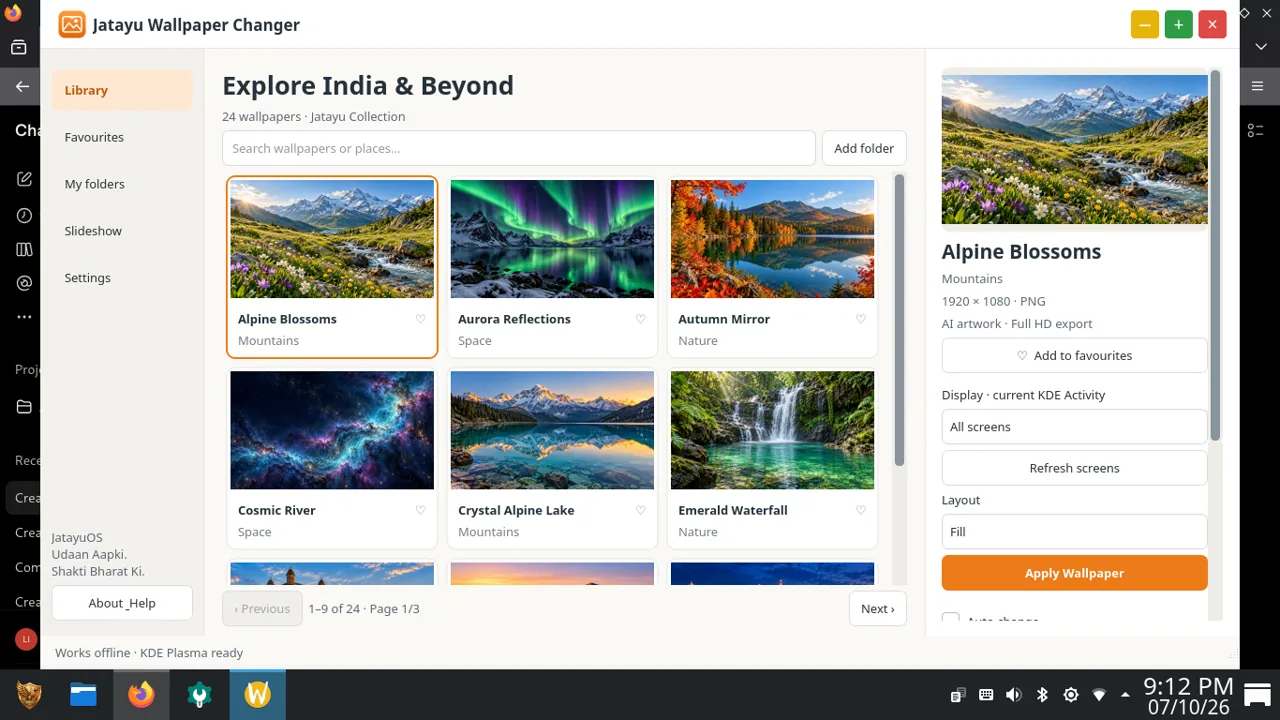
Wallpaper Changer
Give the desktop a background that suits you without searching through folders each time. Wallpaper Changer combines a thumbnail library with a larger preview and controls for the selected display and image layout.
- Browse the library and preview the selected artwork.
- Explore Favourites, My folders and Slideshow entries.
- Check display and layout controls before applying a background.
Try it first: Open Wallpaper Changer, choose a library image and review the preview. Select the intended display, adjust the layout and click Apply Wallpaper. If a picture is cropped awkwardly, try another layout. On a multi-monitor setup, check the selected display before applying.
Internet access: Included and locally stored wallpapers can be used offline. Any online downloads require a connection. Artwork details and labels belong to the selected image.
Read the Wallpaper Changer guide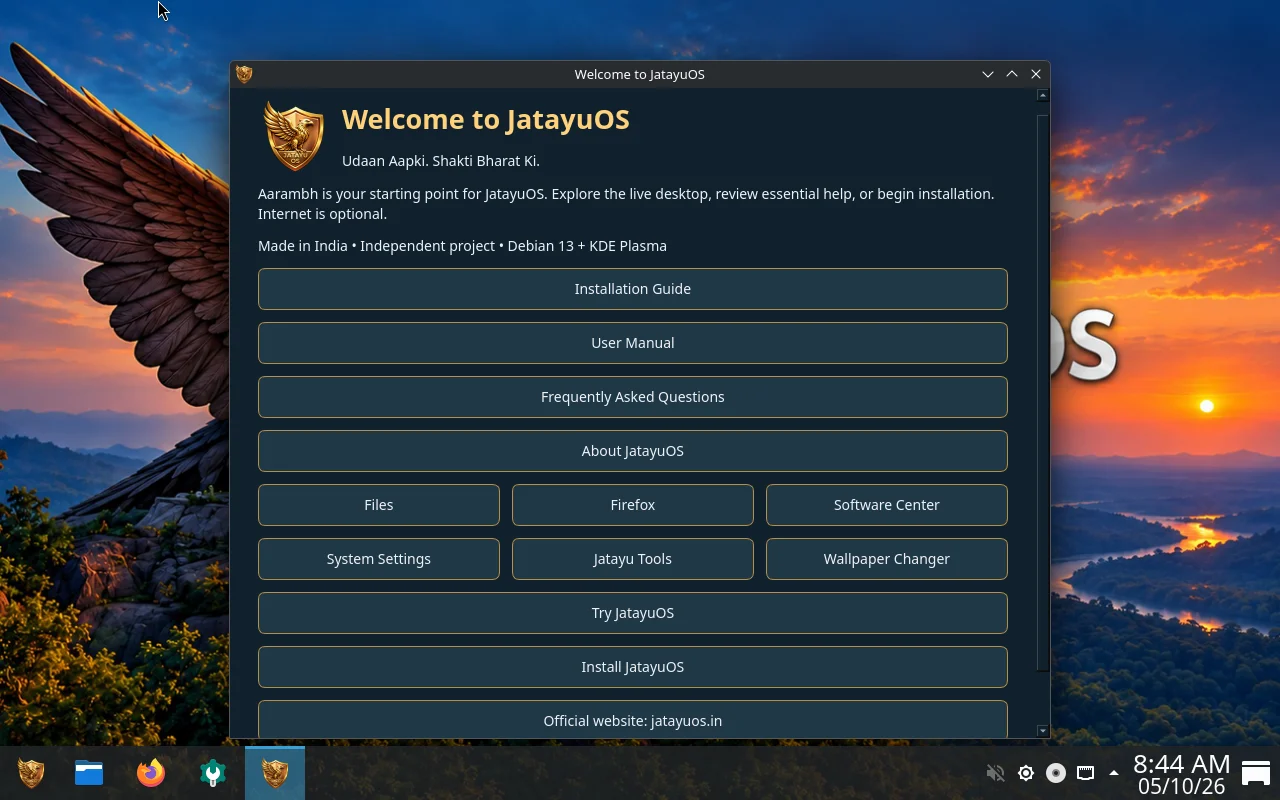
Aarambh
Aarambh is the welcome application and a useful starting point when you are learning JatayuOS. It brings documentation and desktop shortcuts together, helping you reach the right application without memorising menu categories.
- Open the Installation Guide, User Manual, FAQ and project information.
- Reach Files, Firefox, Software Center and System Settings.
- Find Jatayu Tools and Wallpaper Changer from one window.
Try it first: Open Aarambh from the launcher and choose the shortcut for your task. After installation, use Files to organise documents or System Settings to adjust the desktop. Installation entry points shown in the live-session screenshot are for setup; everyday tasks open in their own applications.
Internet access: Local shortcuts and bundled documentation can work offline. Website links, browsing and software downloads need internet access.
Read the Aarambh guide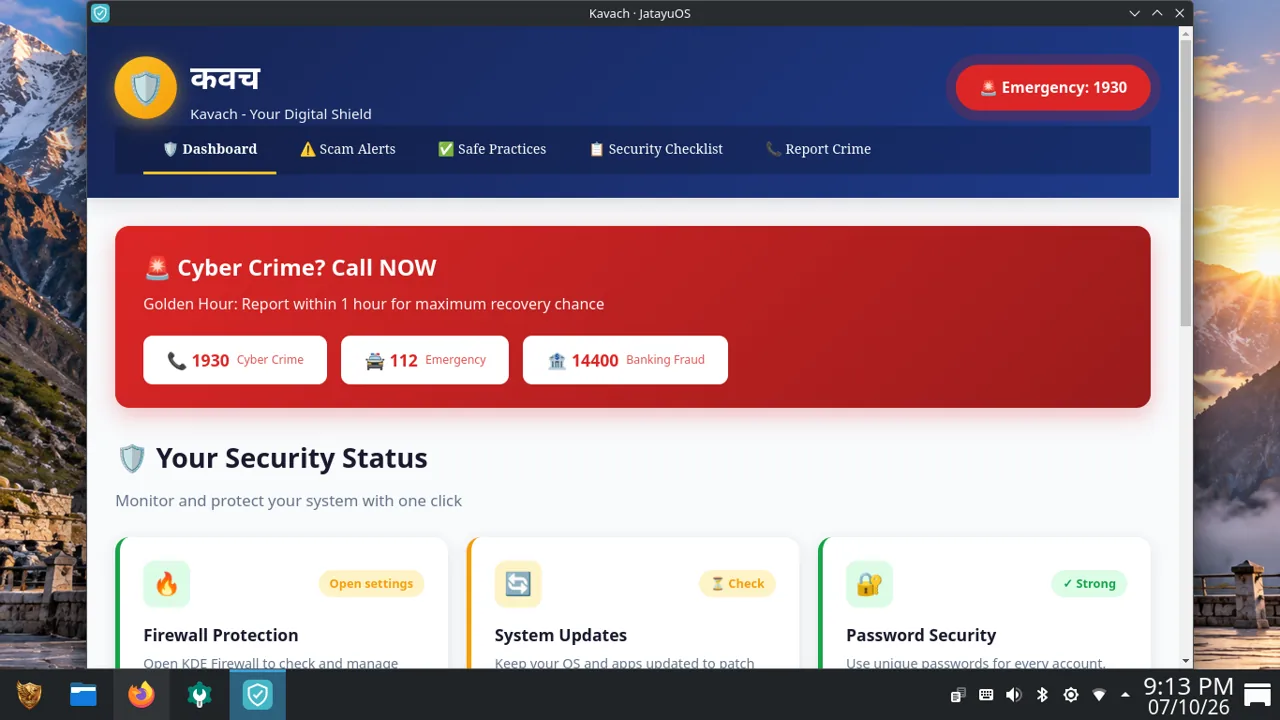
Kavach
Kavach brings security and scam-awareness guidance into a dedicated dashboard. Use it to learn safer habits, explore common scam information and find relevant system controls while getting familiar with your desktop.
- Browse scam alerts and safe-practice guidance.
- Review the security checklist and reporting information.
- Explore links toward update and security-related settings.
Try it first: Open Kavach from the launcher and start with safe practices or the checklist. Read an item, then open the relevant system setting to understand its actual state. A useful first task is to review update guidance and check available updates in the Software Center.
Internet access: The local interface can display bundled guidance offline; external resources need a connection. Check current reporting details with official services. Dashboard labels are not a security audit or a guarantee of protection.
Read the Kavach guide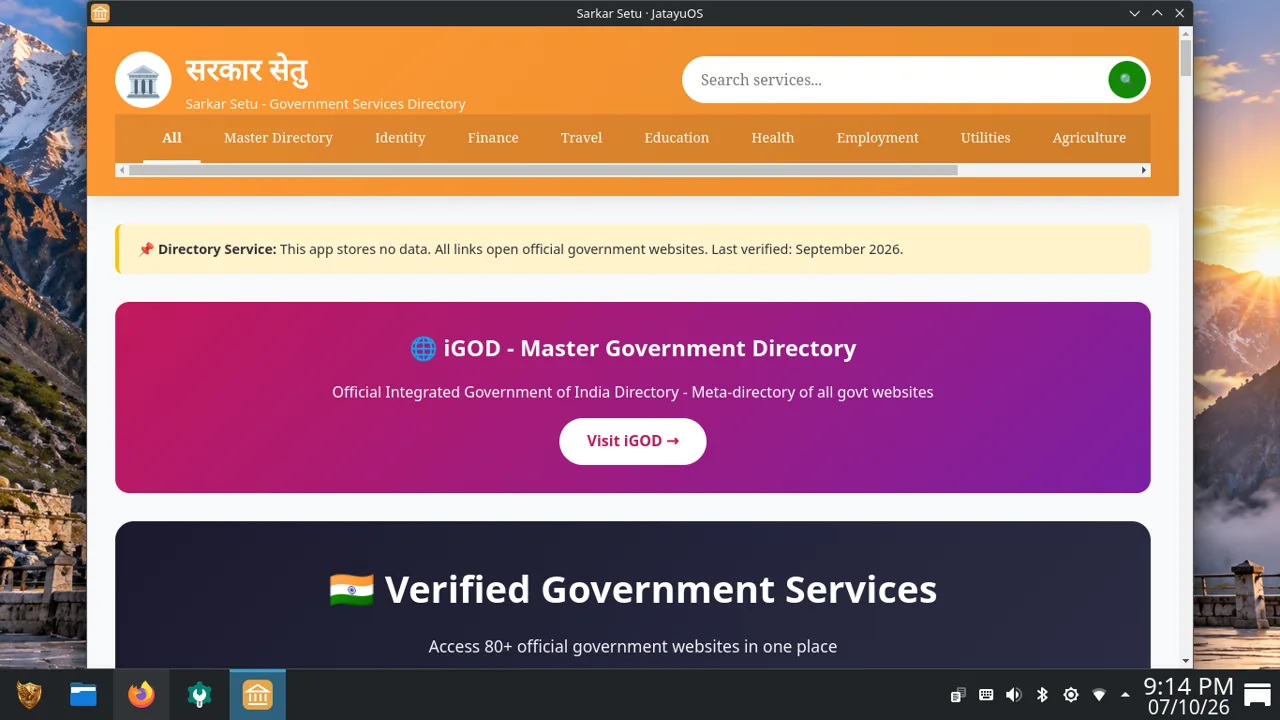
Sarkar Setu
Sarkar Setu helps you find public-service websites through a searchable directory. Instead of remembering many portal addresses, start with the relevant category and follow the link to the service’s own website.
- Search the directory for a service.
- Browse categories such as identity, finance, travel and education.
- Continue to the external portal for its current instructions.
Try it first: Open Sarkar Setu, search for a service or browse a category, then check the destination address before entering personal information. Read eligibility rules and required documents on the official portal. The directory helps with discovery; it does not complete applications or determine eligibility.
Internet access: Opening external service portals requires internet. Their availability and requirements are controlled by those services. JatayuOS is independent of the Government of India; directory inclusion does not imply government endorsement.
Read the Sarkar Setu guide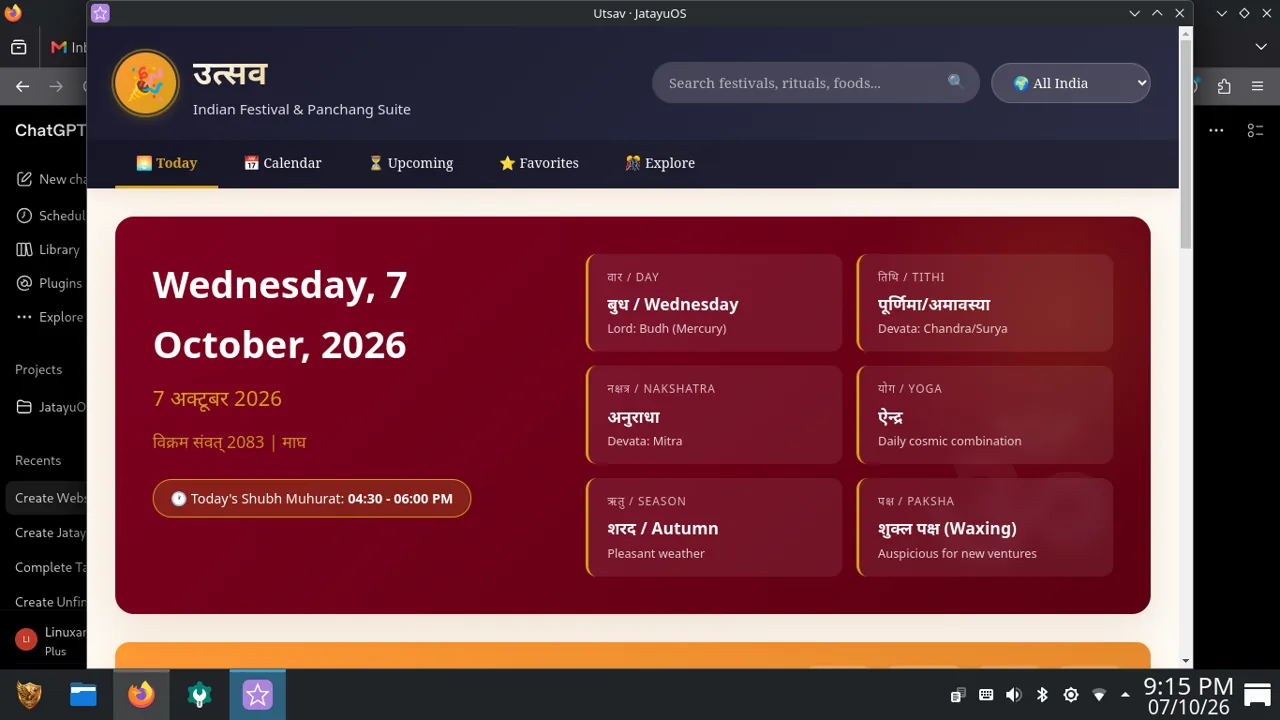
Utsav
Utsav brings Indian festival and Panchang information into a dedicated app. Its daily view and calendar provide a place to explore cultural dates alongside the tools you use for everyday desktop work.
- Explore the daily information view and calendar.
- Browse upcoming events and the exploration section.
- Find Favourites for information you want to revisit.
Try it first: Open Utsav from the launcher and check the displayed date. Browse a calendar entry or an upcoming event, then review its details. For a location-sensitive observance, check any available location settings and compare the information with a trusted local source before making plans.
Internet access: Offline availability depends on the information bundled with the app; linked resources or data refreshes may require internet. Regional dates and timings can differ. The screenshot illustrates the interface rather than independently validating Panchang calculations.
Read the Utsav guideFamiliar apps for everyday work
Firefox ESR handles browsing, LibreOffice covers documents, spreadsheets and presentations, and Dolphin helps you manage files. Start with the included applications before adding more software. See First Steps with JatayuOS for updates, settings and everyday use.
About Android apps
Waydroid packages are included. Android images, initialization and online setup are separate. Compatibility depends on hardware, graphics and the individual app.